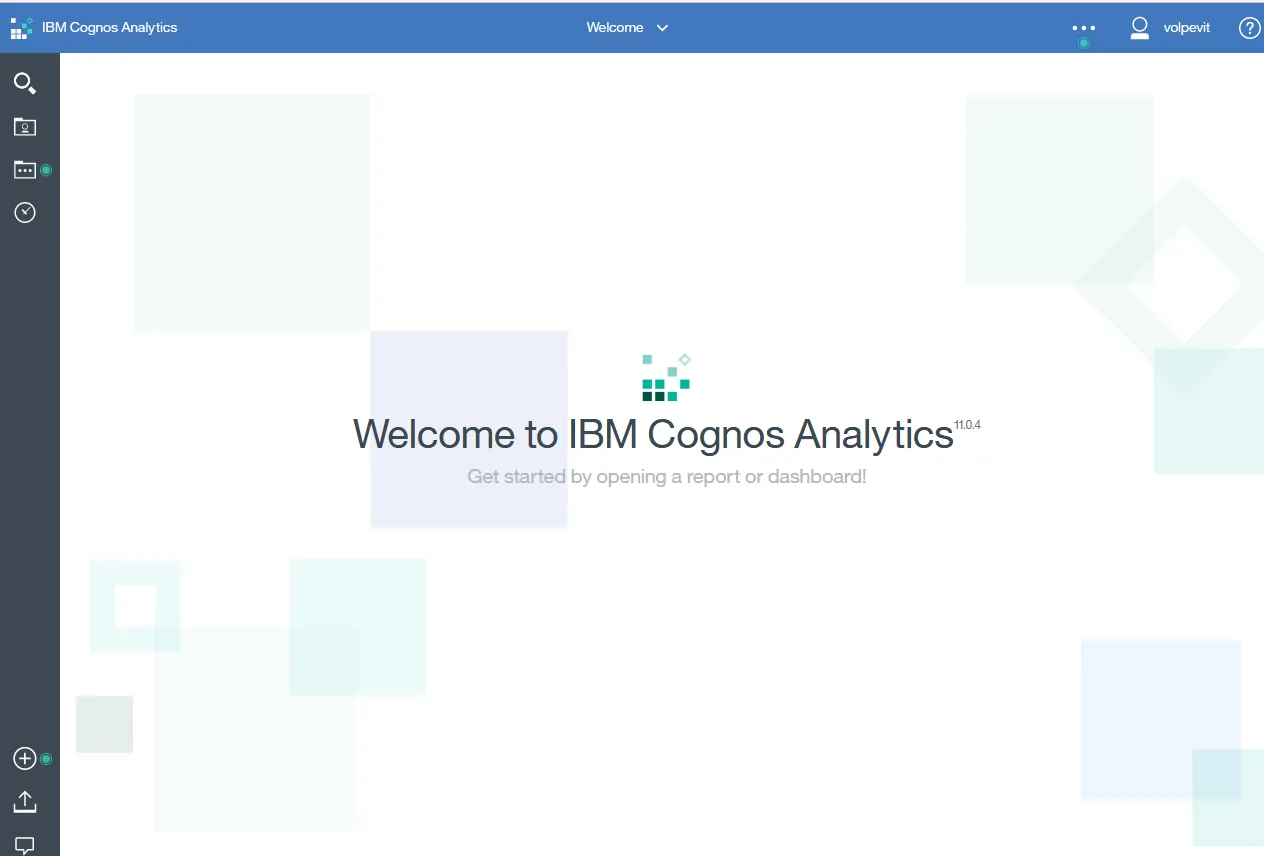
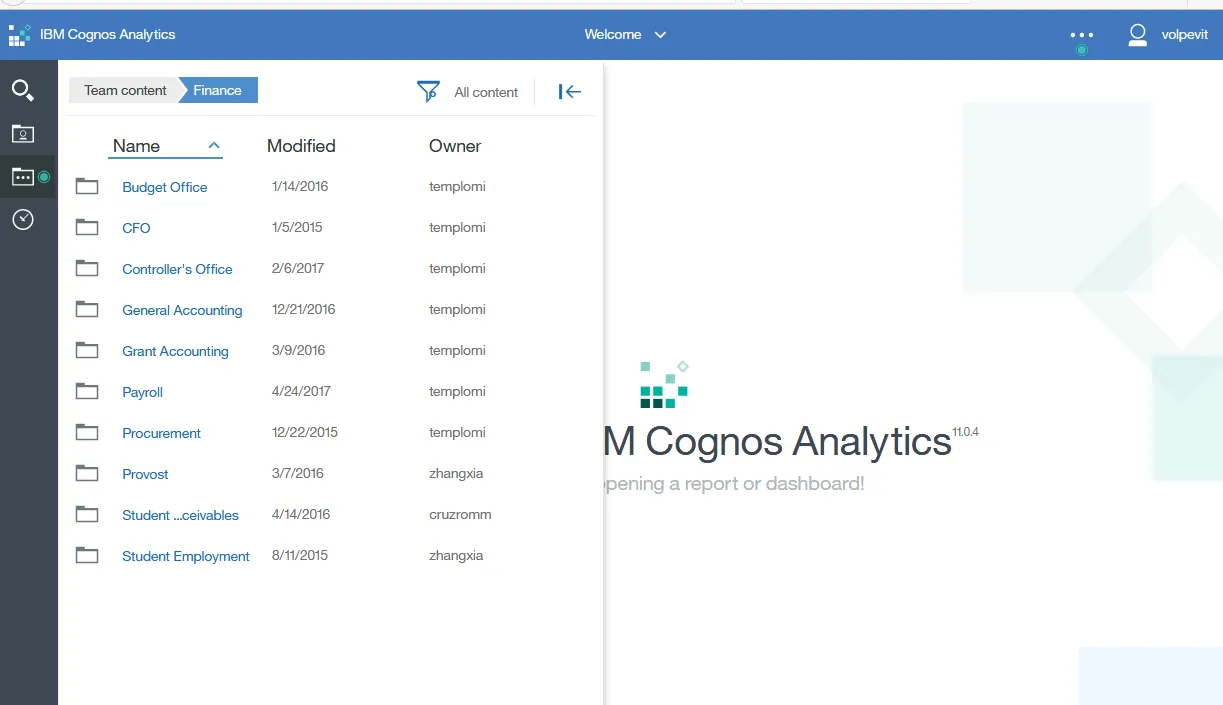
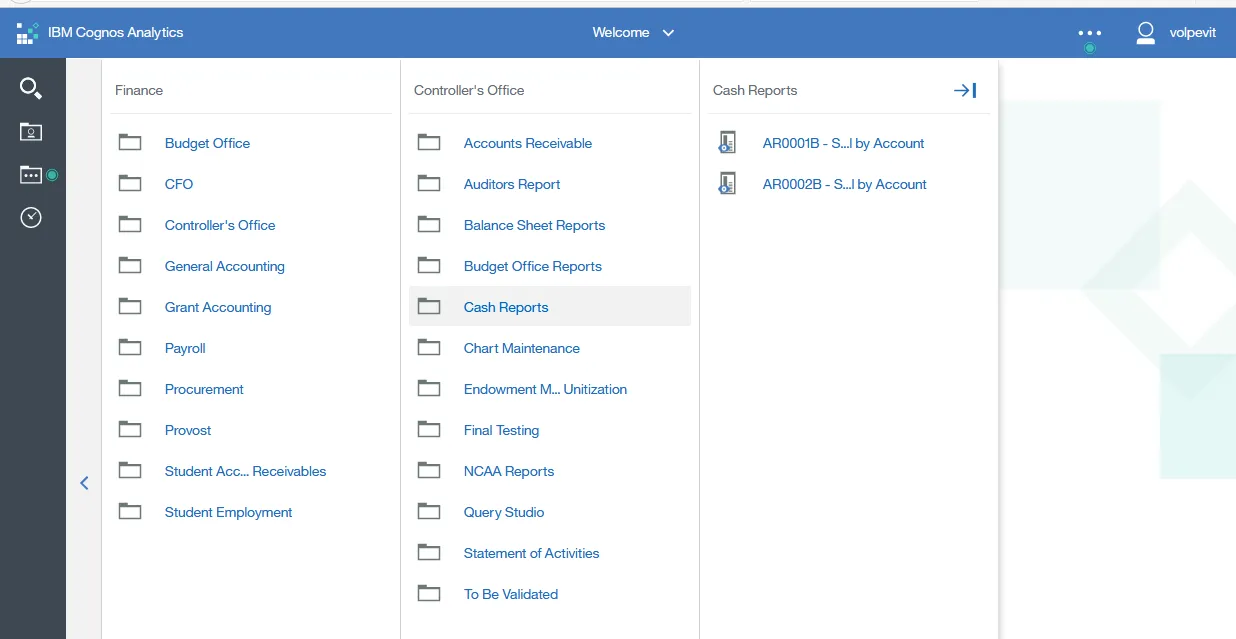
We have folders for the different user groups. There is security on the folders to restrict access to reports depending on the user's role.
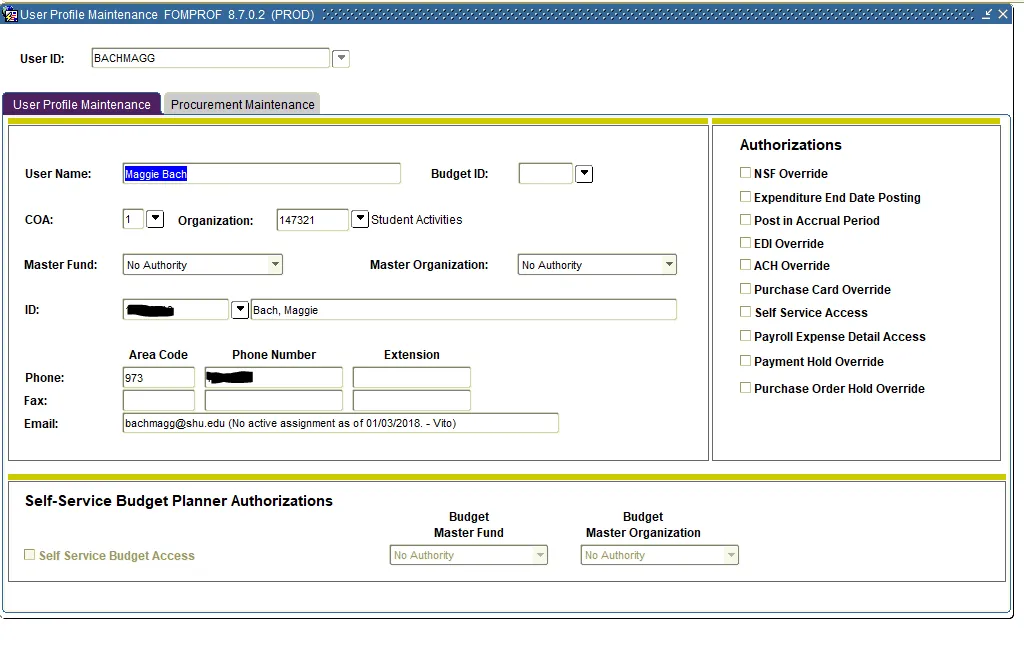
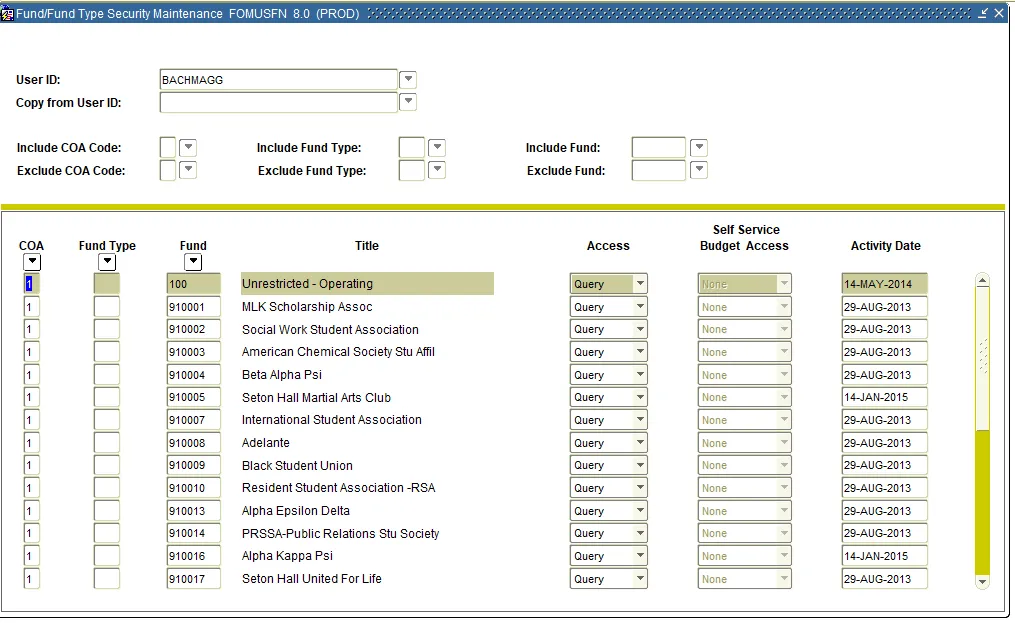
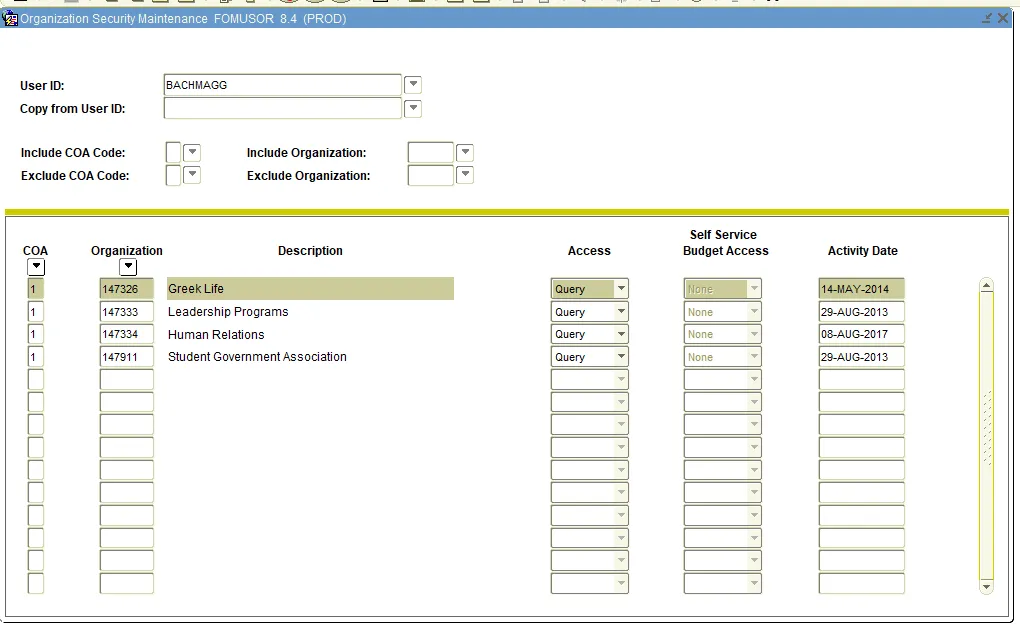
FOMPROF (User Profile Maintenance form) - Fund/Org security.
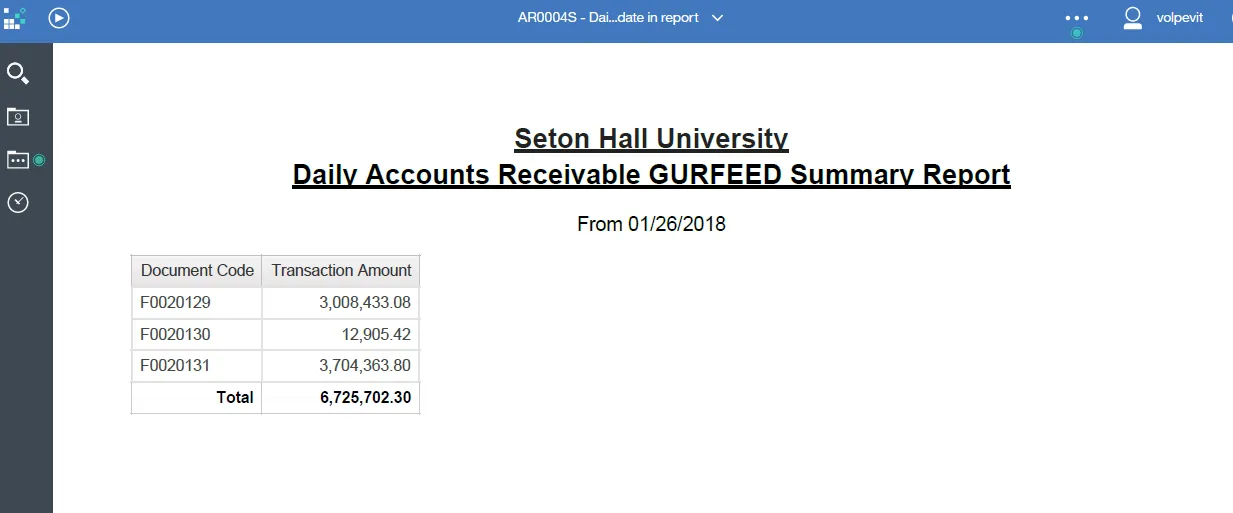
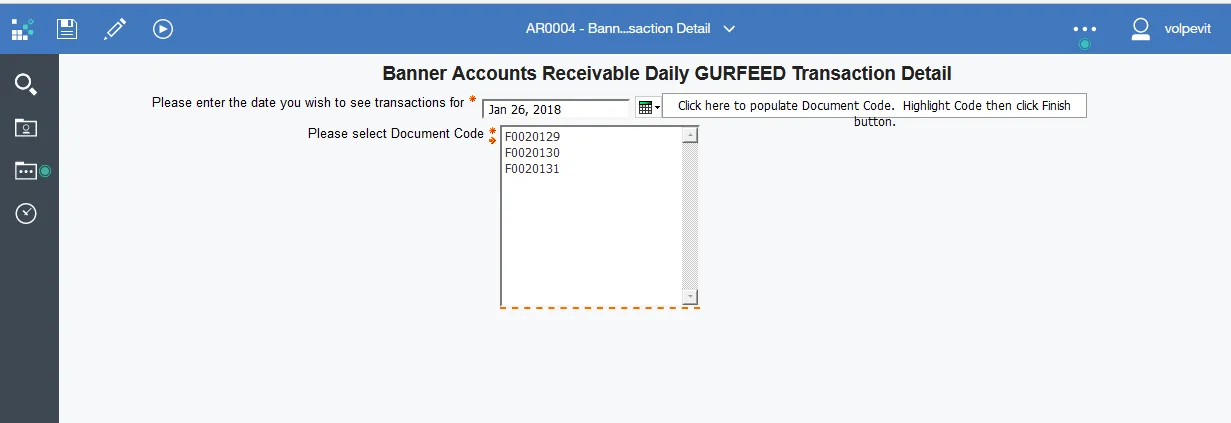
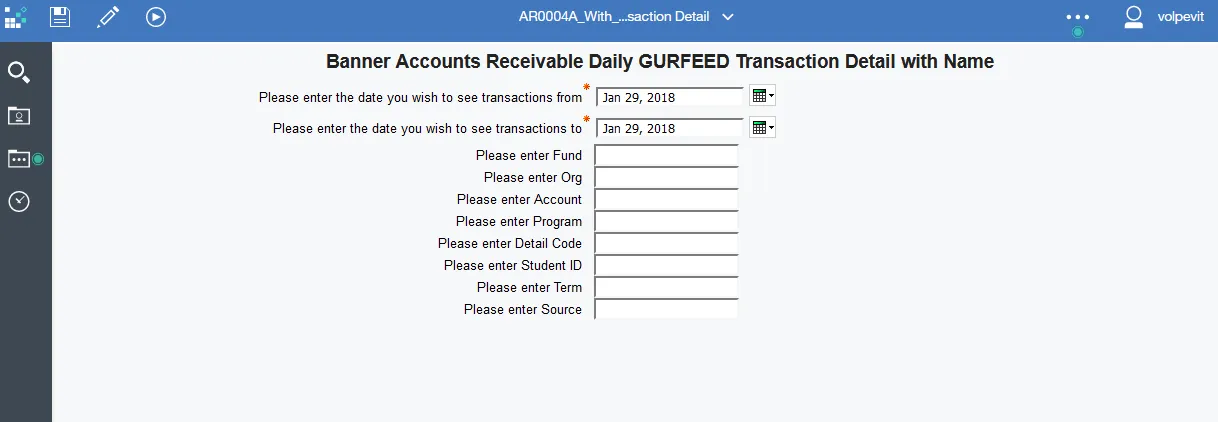
Below is another variation of the Account Receivable Daily GURFEED Transaction Detail report with more parameters for finer selection of data and is used to research problems for internal use and for data requests from auditors.
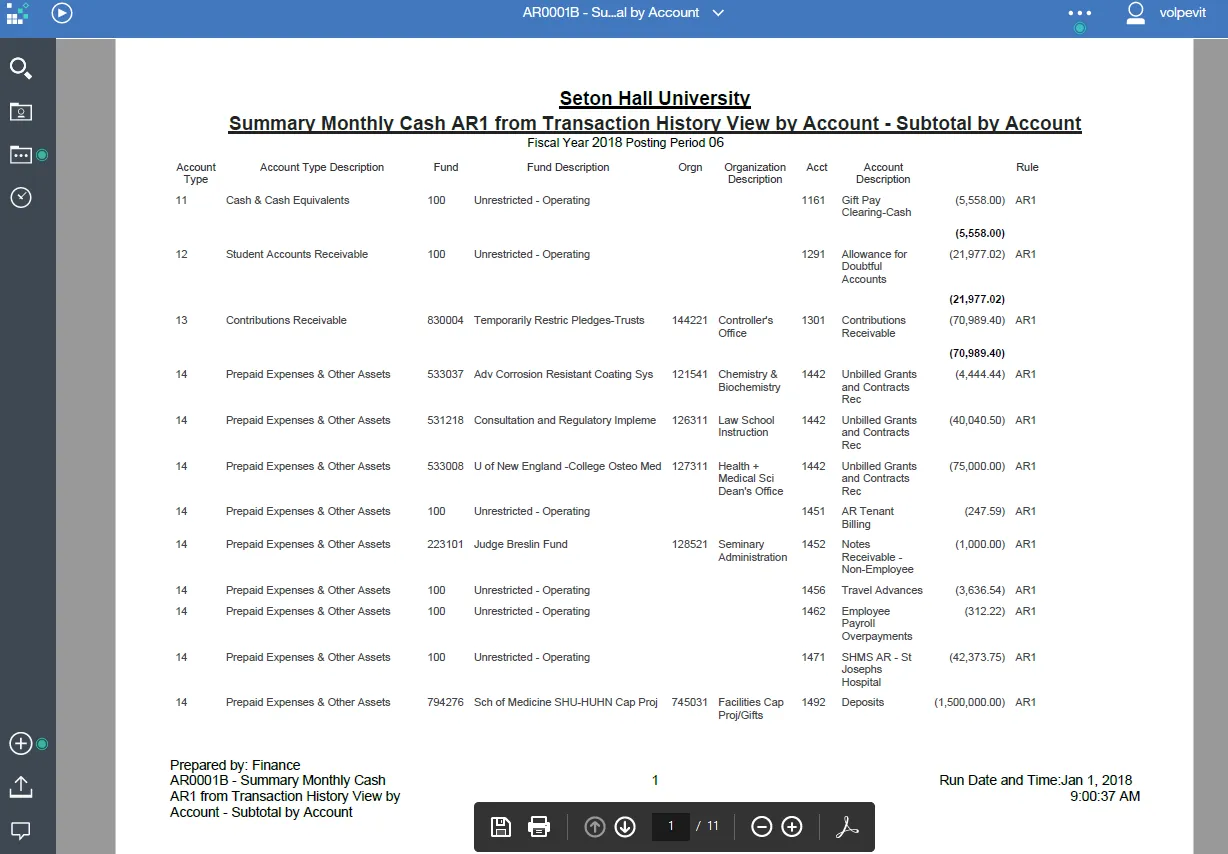
Cash report that runs on a schedule the first of every month.
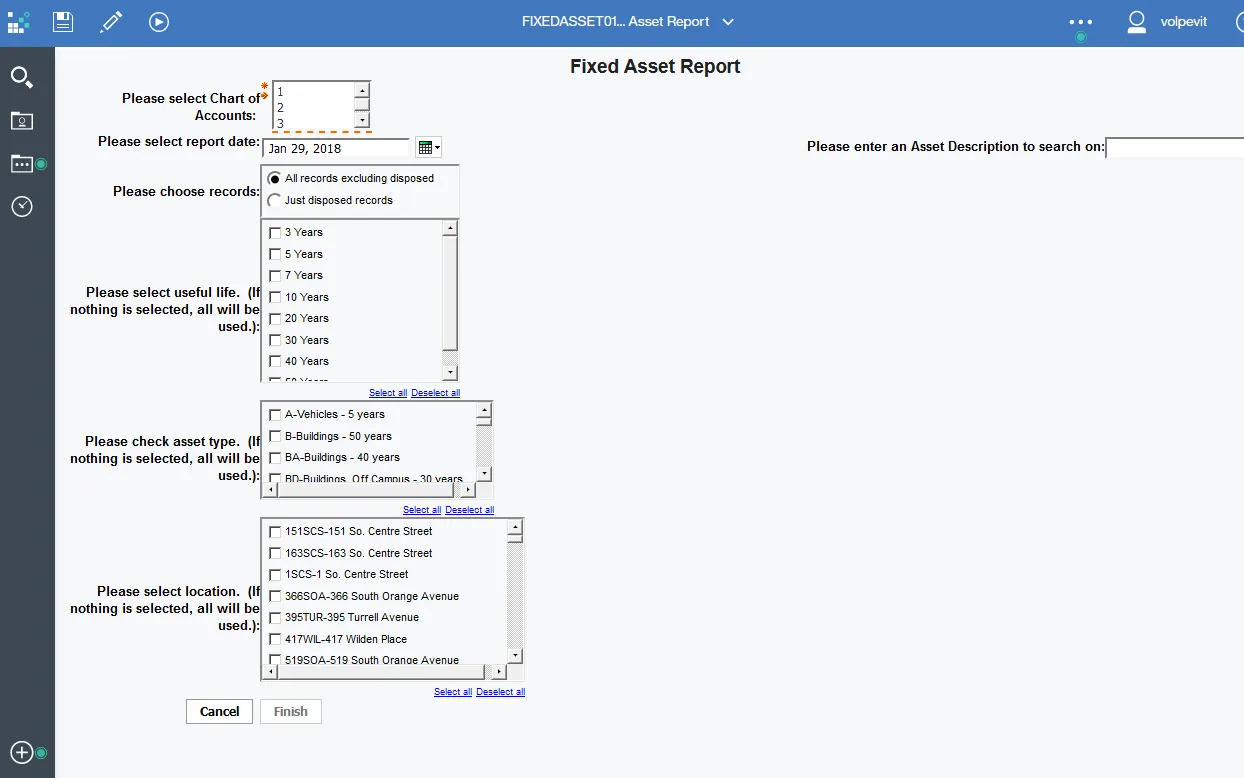
Added a Chart of Accounts drop down so users can select '2' or '3' for the School of Medicine.
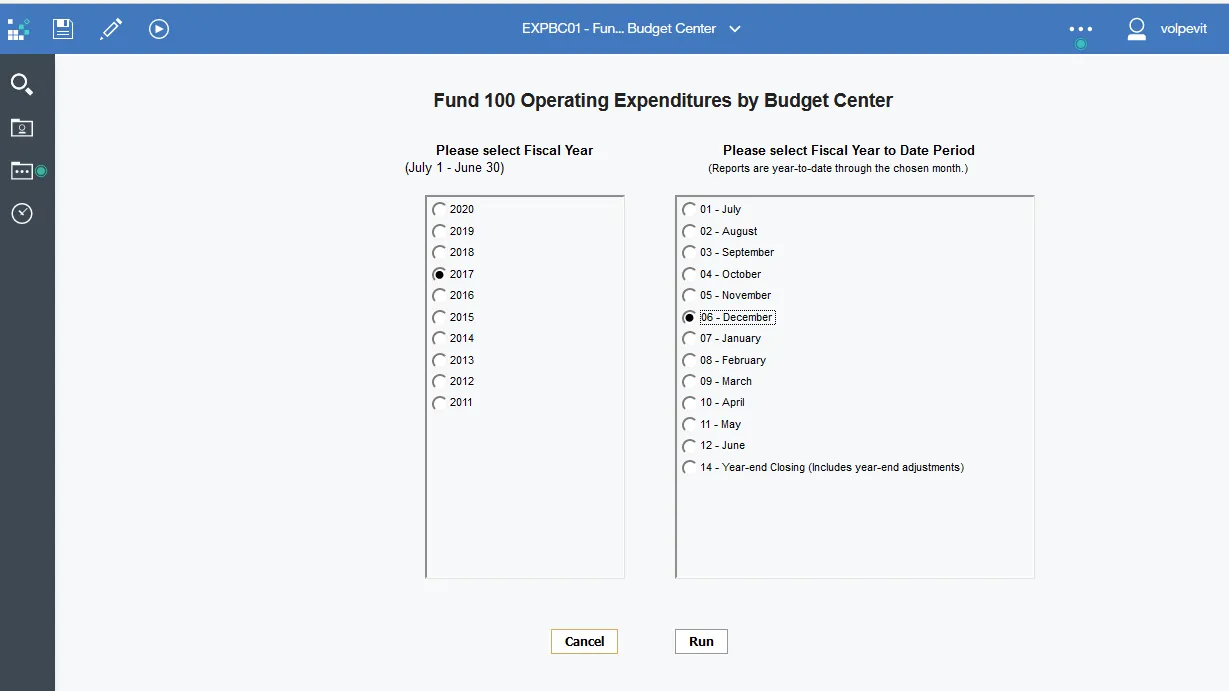
Javascript code added that automatically selects Fiscal Year and Fiscal Period for the user.
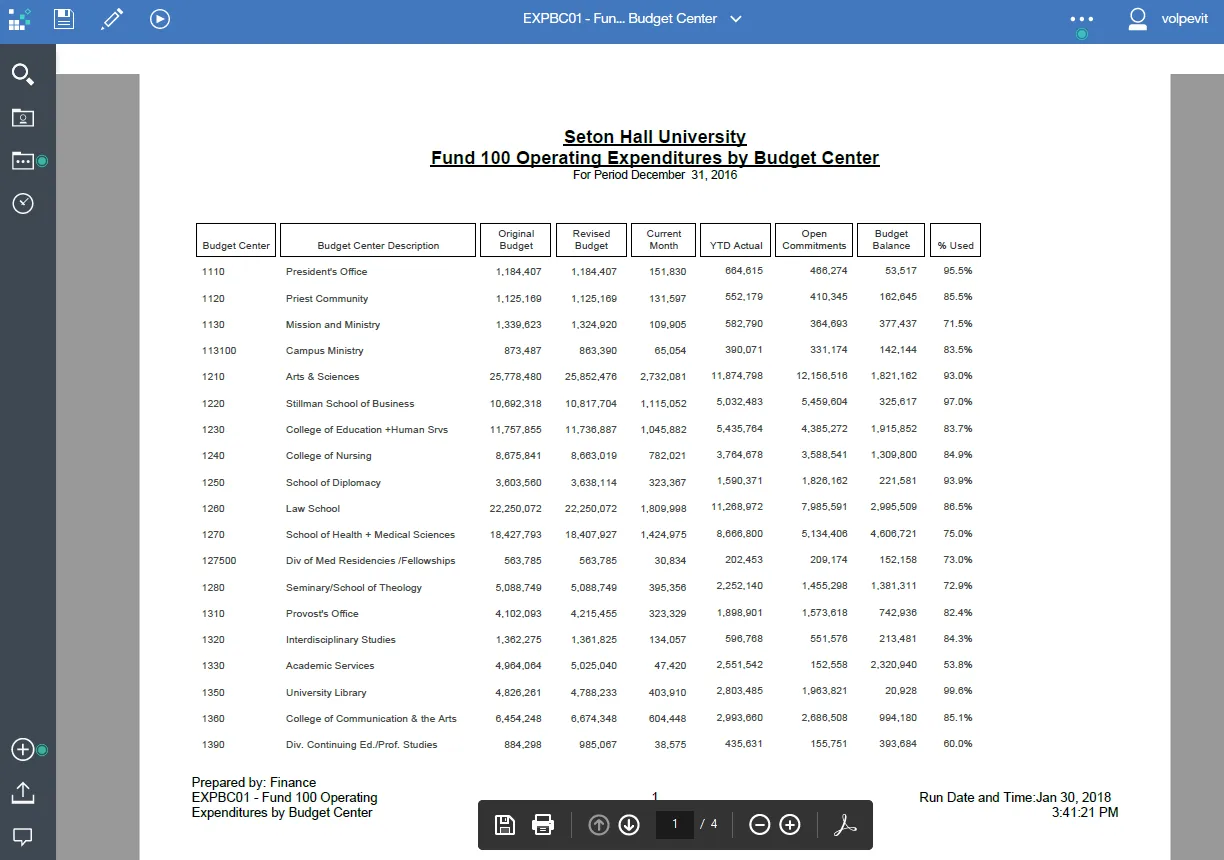
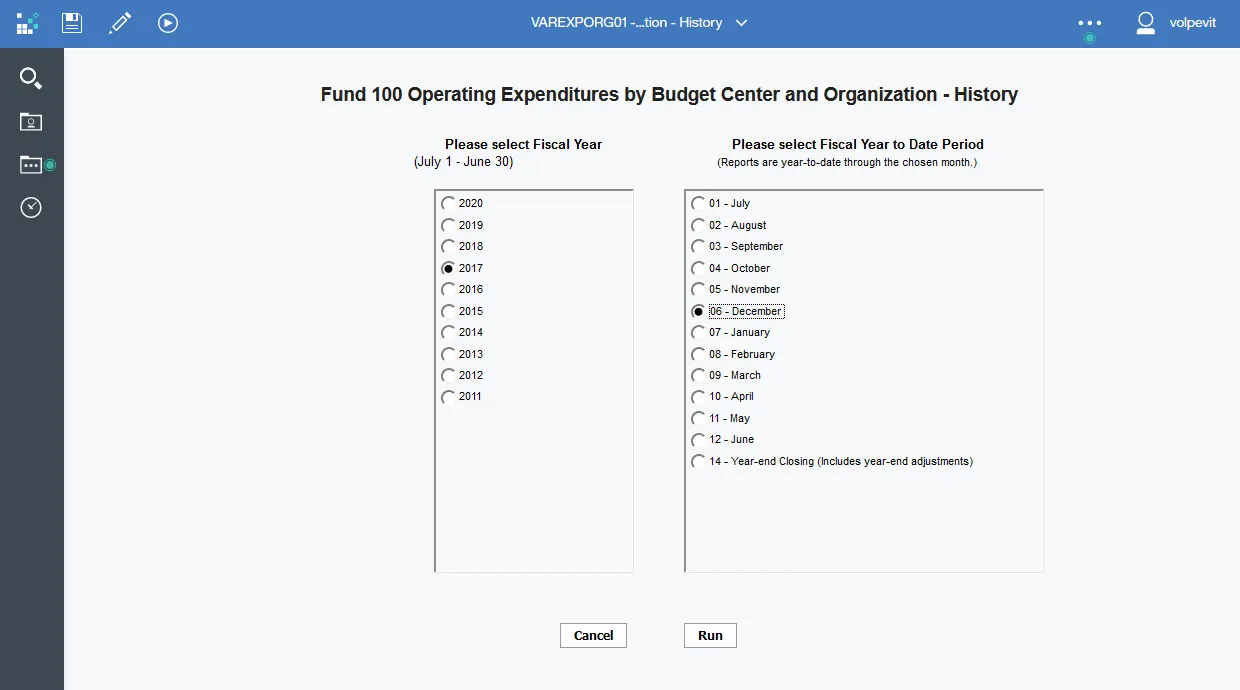
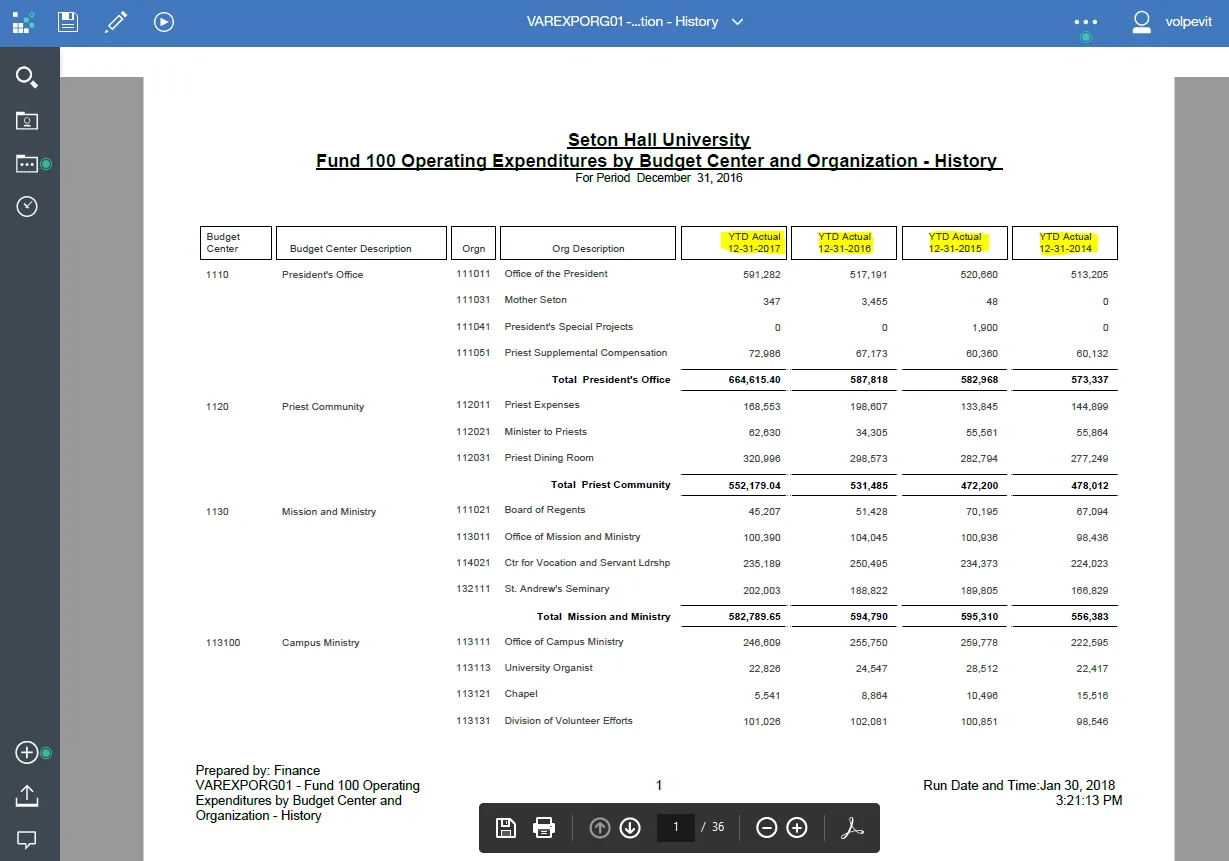
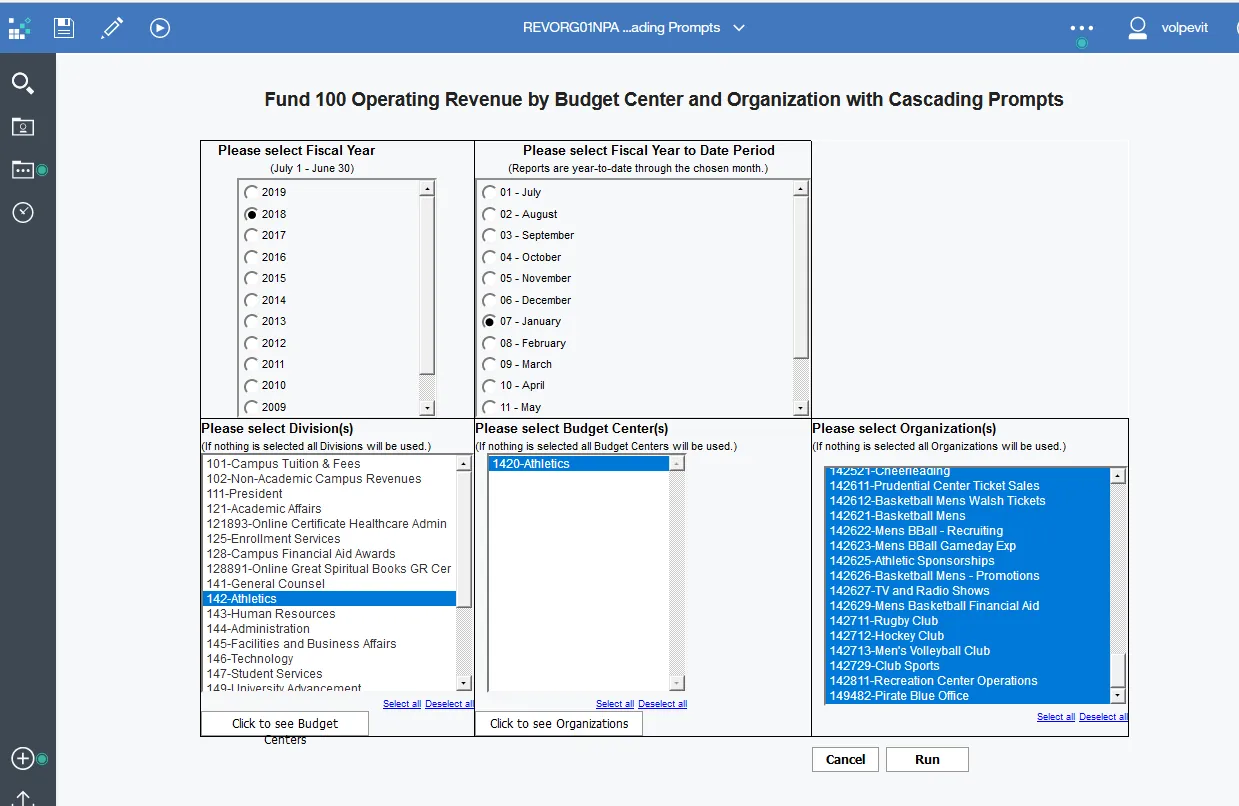
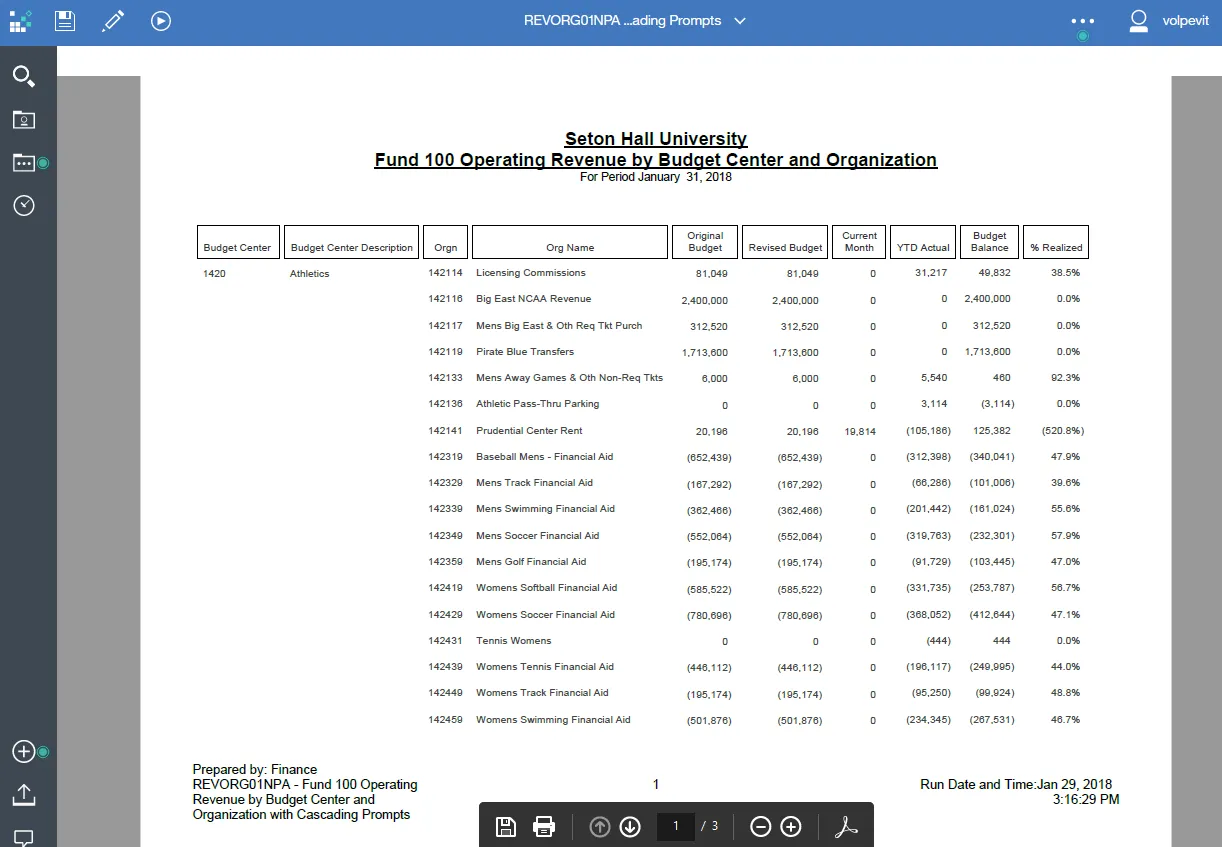
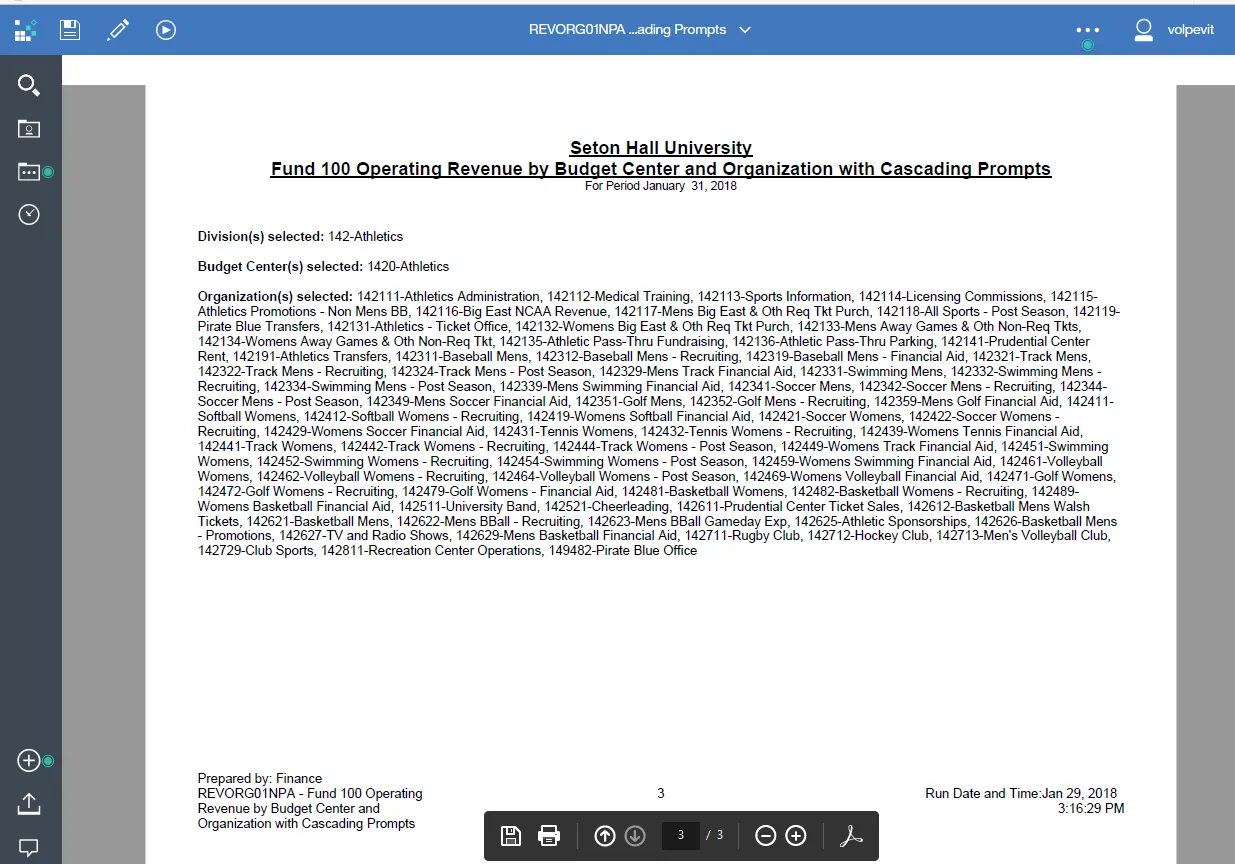
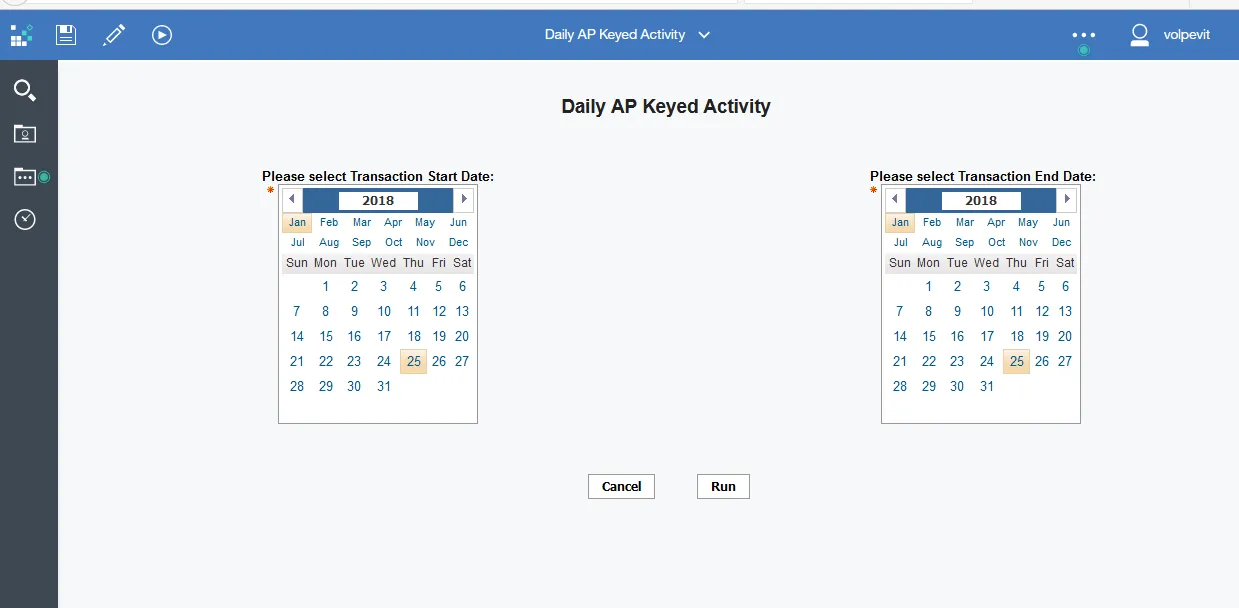
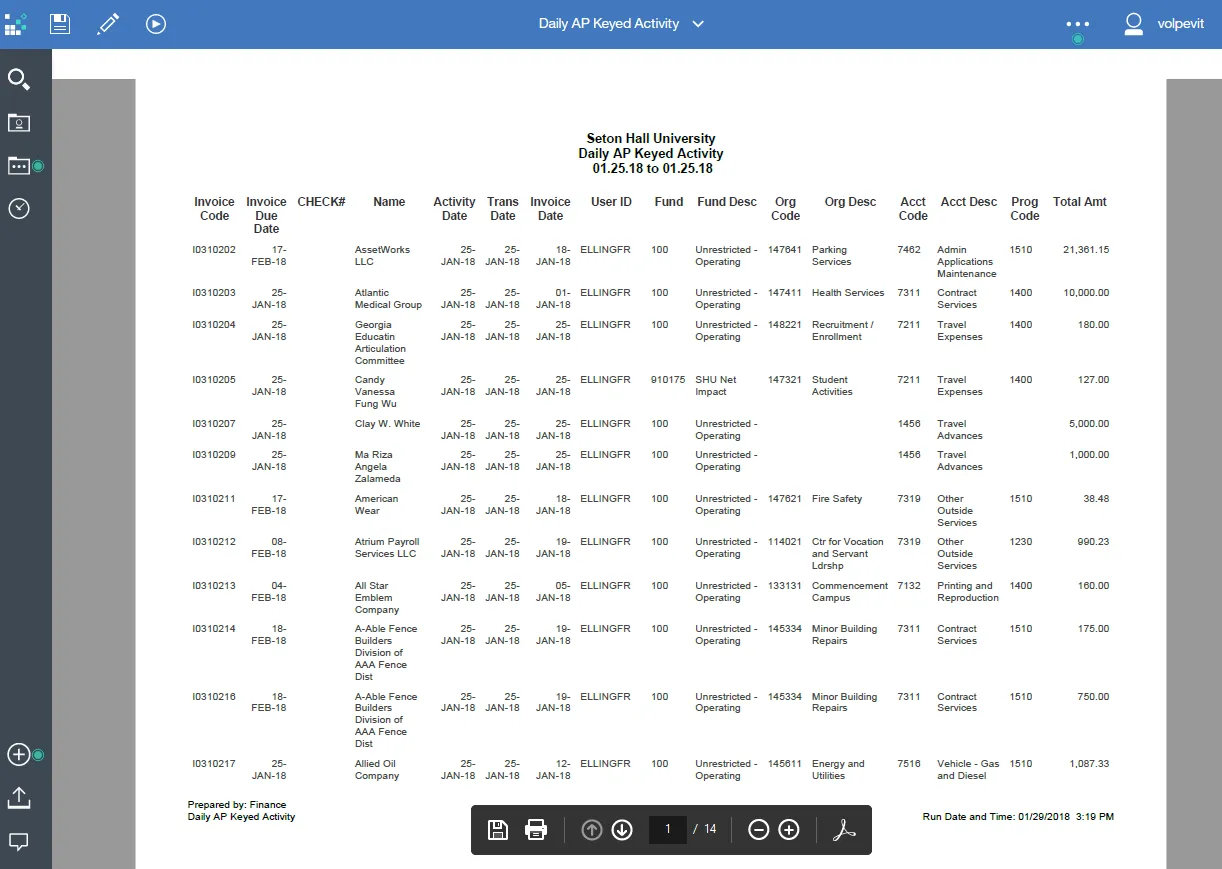
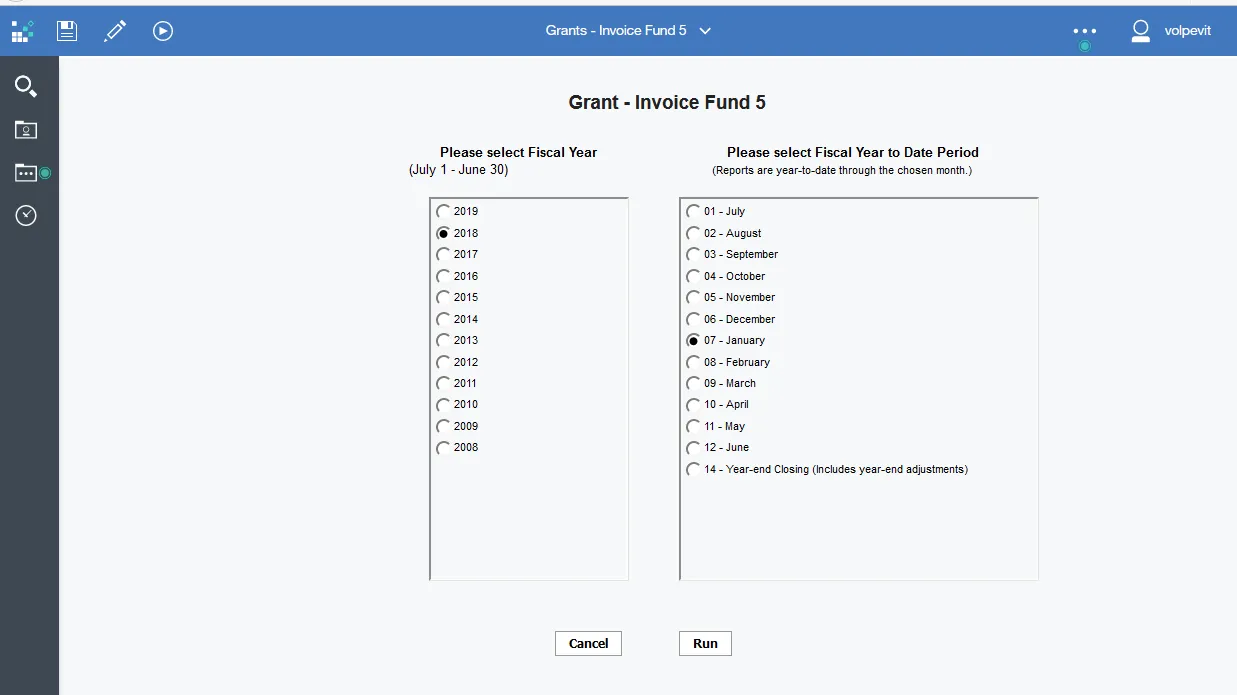
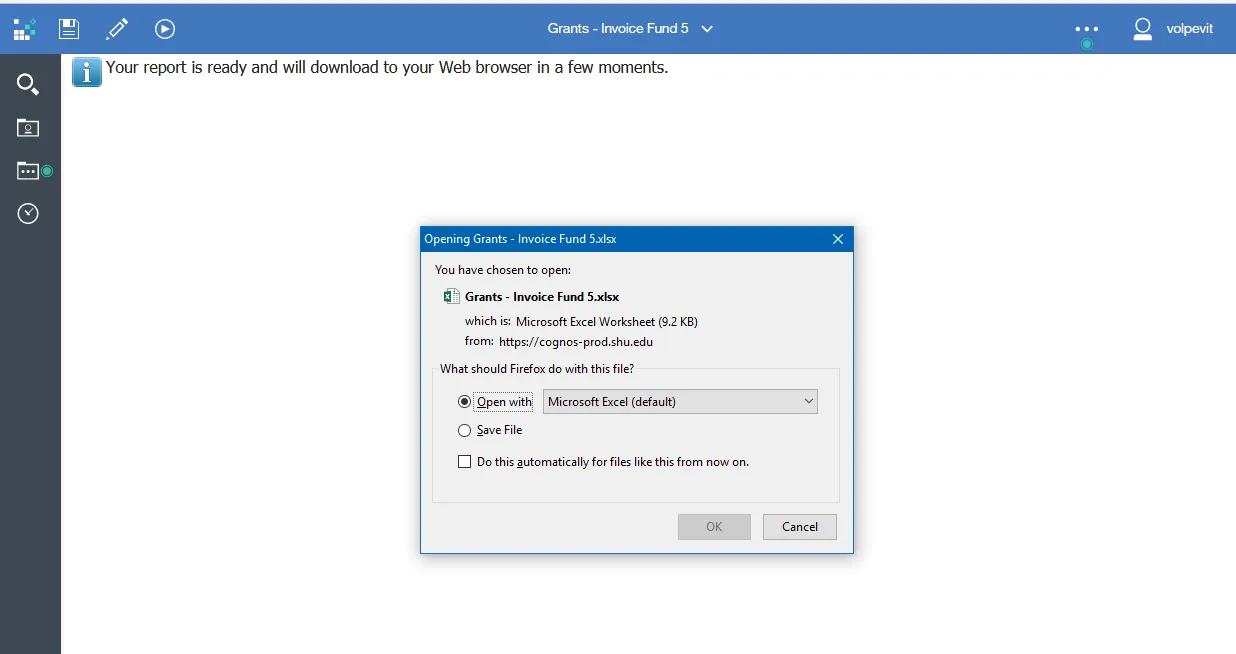
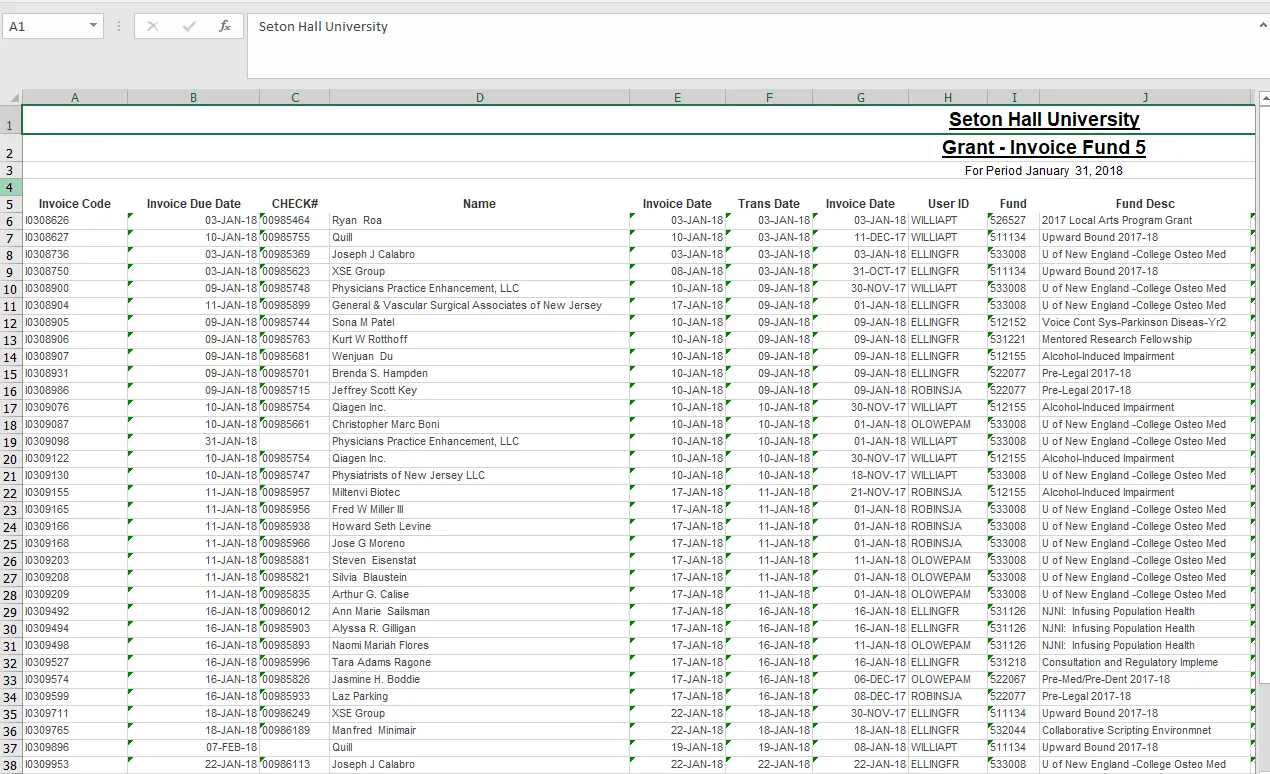
Sample technical documentation.
1. EXPBCNC01A - Operating Expenditures by Budget Center - Summary by Natural Classification Report
1.1 Description
The EXPBCNC01A report summarizes operating expenses by Budget Center. The intended audience for this report is Budget Center Managers and Fiscal Administrators. We are relying on the individual user Banner Finance Fund/Org security to display only the orgs to which they have security to view. This is a variation on the EXPBCNC01 requested by Mary Ann Hart where 'Total' in the account descriptions is removed and 'Total Other Expenses' are broken out by Account Type Level 2 code.
1.2 Queries
Report_Query_1 Query - Used to obtain amounts from the Operating Ledger view. These amounts are filtered by the Fiscal Year and Fiscal Period Prompt values. The amounts are also only obtained for just Fund 100 and Account Type Level 2 equal to '61','68','71','72','75','76','79' or '81'.
Report_Query_2 Query - Used to obtain amounts from the Operating Ledger view. These amounts are filtered by the Fiscal Year and Fiscal Period Prompt values. The amounts are also only obtained for just Fund 100 and Account Type Level 1 equal to '60'.
Report_Query_Final Query - Is a Union of Report_Query_1 and Report_Query_2. A Union had to be done to pull data from two different account levels in order to get Total Salaries and Wages, Total Fringe Benefits and Total Other Expenses from Level 2 and Total Personnel costs from Level 1.
FISCAL_YEAR_PROMPT - Used to populate a list box with Fiscal Year from [List of Values].[Fiscal Year LOV].
FISCAL_PERIOD_PROMPT - Used to populate a list box with Fiscal Period from [List of Values].[Fiscal Period LOV].
1.3 Prompts
|
Prompt Name |
Description |
Required/ Optional |
|
Fiscal Year |
Select a particular fiscal year. |
Required |
|
Fiscal Period |
Select a particular fiscal Period |
Required |
1.4 Report Output - Detail
|
Column Name |
Description |
Source |
|
Budget Center Level |
Organization Level 4 |
Operating Ledger.ORGANIZATION_LEVEL_4 |
|
Budget Center Level Description |
Organization Level 4 Desc |
Operating Ledger.ORGANIZATION_DESC_4 |
|
Account Description |
Account Description |
Operating Ledger.ACCOUNT_DESC |
|
Original Budget |
Original Budget amount |
Operating Ledger.SUM_ADOPTED_BUDGET |
|
Revised Budget |
Revised Budget amount |
Operating Ledger.SUM_ACCUMULATED_BUDGET |
|
Current Month |
Current Month amount |
Operating Ledger.CURR_YEAR_TO_DATE_ACTIVITY |
|
YTD Actual |
YTD Actual amount |
Operating Ledger.SUM_YEAR_TO_DATE_ACTIVITY |
|
Open Commitments Expenses |
General Encumbrance amount |
Operating Ledger.SUM_ENCUMBRANCES |
|
Budget Balance |
Revised Budget - YTD Actual - Encumbrance |
Calculated |
|
% Used |
Round((YTD Actual + Encumbrances) / Revised Budget) |
Calculated |
1.5 Report Detail - Budget Center Summary
|
Column Name |
Description |
Source |
|
Budget Center Description |
Budget Center Description |
literal |
|
Original Budget |
Summary for the Budget Center |
Calculated |
|
Revised Budget |
Summary for the Budget Center |
Calculated |
|
Current Month |
Summary for Budget Center |
Calculated |
|
YTD Actual |
Summary for the Budget Center |
Calculated |
|
Open Commitments Expenses |
Summary for the Budget Center |
Calculated |
|
Budget Balance |
Summary for the Budget Center |
Calculated |
|
% Used |
Summary for the Budget Center |
Calculated |
1.6 Report Summary
|
Column Name |
Description |
Source |
|
Original Budget |
Summary for all Budget Centers in the report |
Calculated |
|
Revised Budget |
Summary for all Budget Centers in the report |
Calculated |
|
Current Month |
Summary for all Budget Centers in the report |
Calculated |
|
YTD Actual |
Summary for all Budget Centers in the report |
Calculated |
|
Open Commitments Expenses |
Summary for all Budget Centers in the report |
Calculated |
|
Budget Balance |
Summary for all Budget Centers in the report |
Calculated |
|
% Used |
ROUND(((Total(YTD Actual)+ Total(SUM_ENCUMBRANCES1)) / Total(SUM_ACCUMULATED_BUDGET)) |
Calculated |
My Cognos 11.0.4 reports:
NOTE: Been using Cognos since around 2011.
NOTE: Most reports access the ODS unless there is a business reason to go against live data like the AR GURAPAY dump.
NOTE: FOMPROF security used so end users can only see what Funds/Organizations they have access to.
NOTE: I have a report with historical expense.
NOTE: JavaScript code put in new reports to automatically select the correct fiscal year and period.
NOTE: New reports have a last page with all parameters selected by the user.
NOTE: Started adding Chart parameter to allow for selection of medical school.
NOTE: I have two cash reports scheduled to run.
NOTE: Use SQL Developer to check data in PROD and ODS to do comparisons, troubleshoot and be sure you are using the correct data fields.
NOTE: I have created technical documentation for all reports.
NOTE: I am familiar with the Data Cookbook, but don't have access to attached my technical documents. That is done by someone else.
- AR0004S - Banner Accounts Receivable Daily GURFEED Transaction Summary
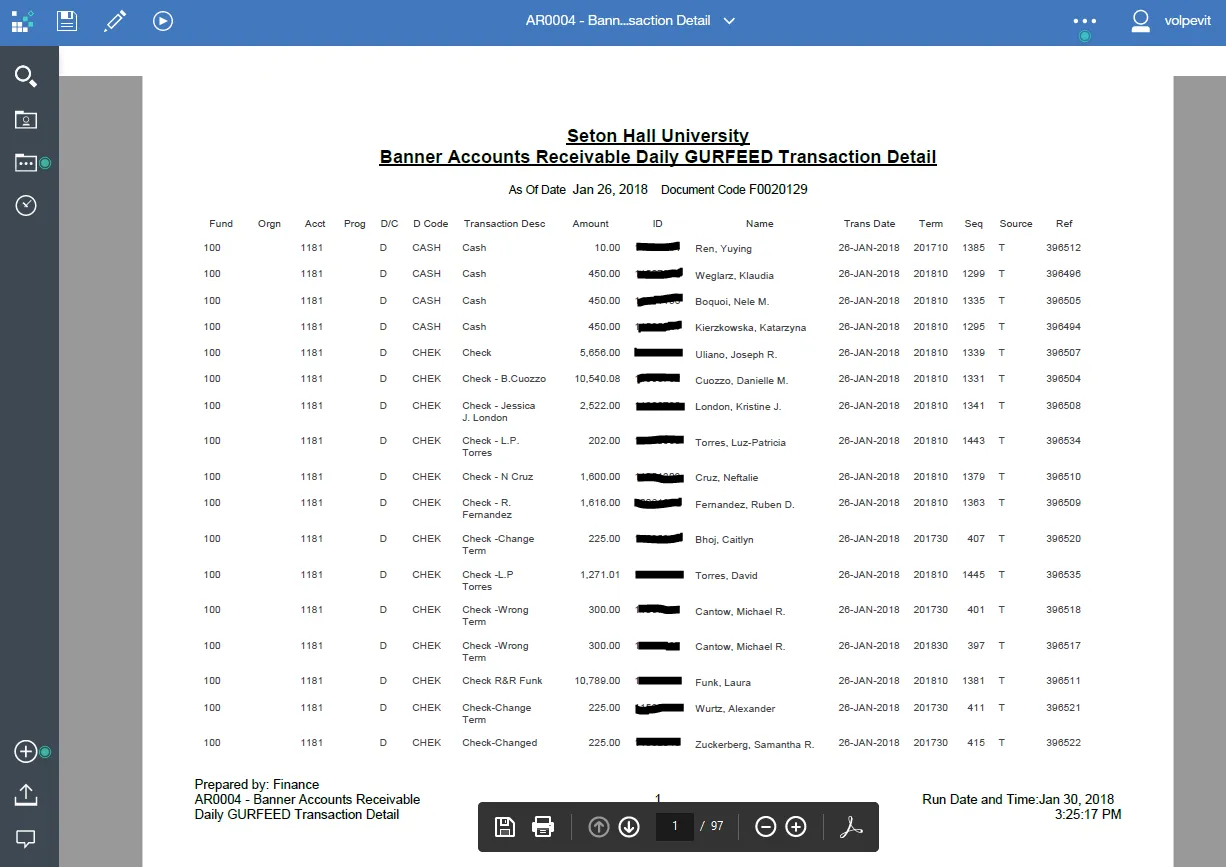
- AR0004 - Banner Accounts Receivable Daily GURFEED Transaction Detail
- AR0004A_With_Name - Banner Accounts Receivable Daily GURFEED Transaction Detail. This has more parameters for finer selection of data and is used to research problems for internal use and auditors.
- AR0001B - Summary Monthly Cash AR1 from Transaction History View by Account - Subtotal by Account
- AR0002B - Summary Monthly Cash PA1 from Transaction History View - Subtotal by Account
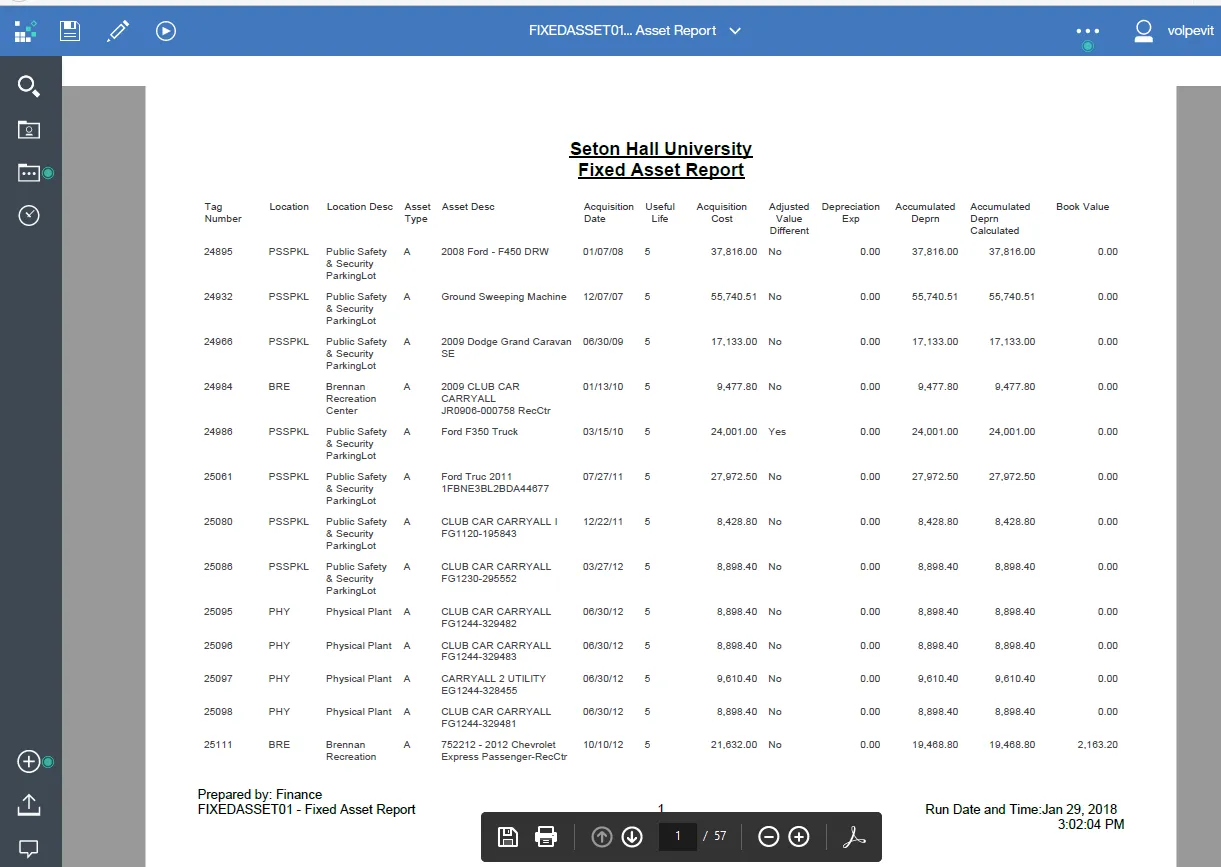
- FIXEDASSET01 - Fixed Asset Report
- EXPBC01 - Fund 100 Operating Expenditures by Budget Center
- EXPBC02 - Fund 100 Operating Expenditures by Budget Center and Account
- EXPBCNC01 - Fund 100 Operating Expenditures by Budget Center - Summary by Natural Classification
- EXPBCNC01A - Fund 100 Operating Expenditures by Budget Center - Summary by Natural Classification
- EXPORG01 - Fund 100 Operating Expenditures by Budget Center and Organization
- EXPORG02 - Fund 100 Operating Expenditures by Budget Center, Organization and Account
- EXPORGNC01 - Fund 100 Operating Expenditures by Organization - Summary by Natural Classification
- REVBC01 - Fund 100 Operating Revenue by Budget Center
- REVORG01 - Fund 100 Operating Revenue by Budget Center and Organization
- REVORG02 - Fund 100 Operating Revenue by Budget Center, Organization and Account
- VAREXPORG01 - Fund 100 Operating Expenditures by Budget Center and Organization initial-scaleHistory
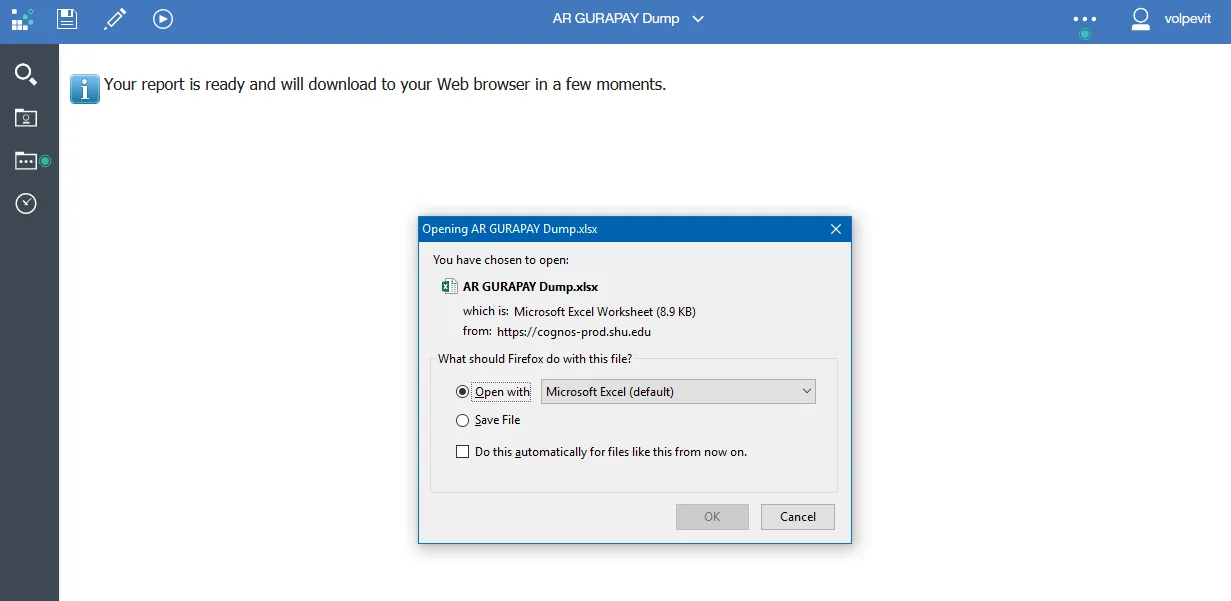
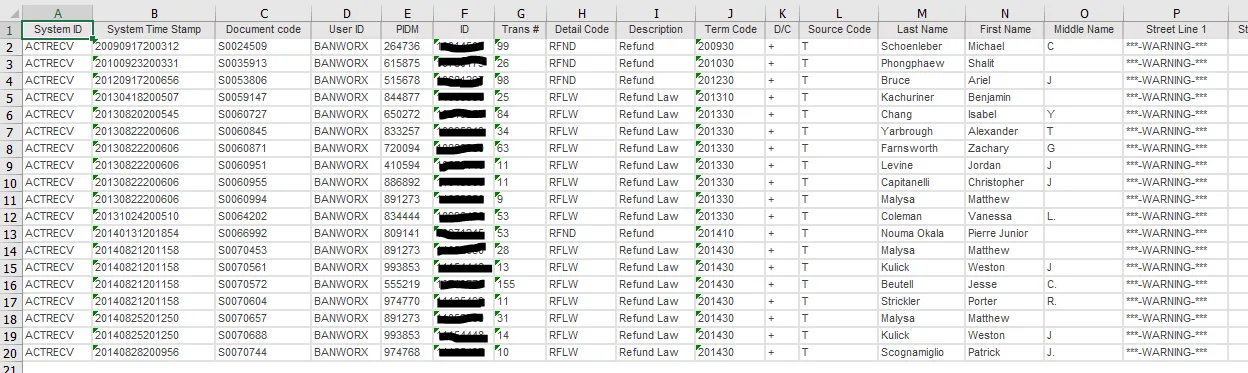
- AR GURAPAY Dump
- Daily AP Keyed Activity
- Grants - Invoice Fund 5
- EXPORG01NPA - Fund 100 Operating Expenditures by Budget Center and Organization with Cascading Prompts
- REVORG01NPA - Fund 100 Operating Revenue by Budget Center and Organization with Cascading Prompts
In April 2013 the FRS and HRS Plus databases were migrated to ODS. I worked on the FRS databases. I used FOCUS to create Excel spreadsheets with the data to be loaded. This was done for each segment in the files, (000, 001, etc.). I gave the spreadsheets to another programmer who converted them to .csv files, then SQL loaded them to Oracle tables. We loaded detail data.